Bring a customer export.
Senate is in active development. Tell us about your plant and we will set you up with early access as it opens, starting from the customer list you already have.
What happens next
- 01
We reply by email.
We answer at the address you give us.
- 02
Bring a customer export.
A CSV or Excel file is enough. We walk through the first import together, mapping its columns to fields.
- 03
You get a demo company you can reset.
Try anything, then start again from a clean, seeded company.
Request received
Thanks. You are on the list.
We will reply by email. When we do, have a customer export ready: a CSV or Excel file is enough for the first import.
10First weekFive steps, and what is built
Your first week, step by step.
What a new company does first, and how much of each step is in the build today.
- 01
Open your company
Create your company from the general manufacturing starter, or start blank. The starter brings a chart of accounts, a fiscal calendar, posting rules, eight roles, and quote and invoice templates. Change any of it, or start over and upload your own chart of accounts.
TodayIn the build. Starters for automotive and CPG are in development.
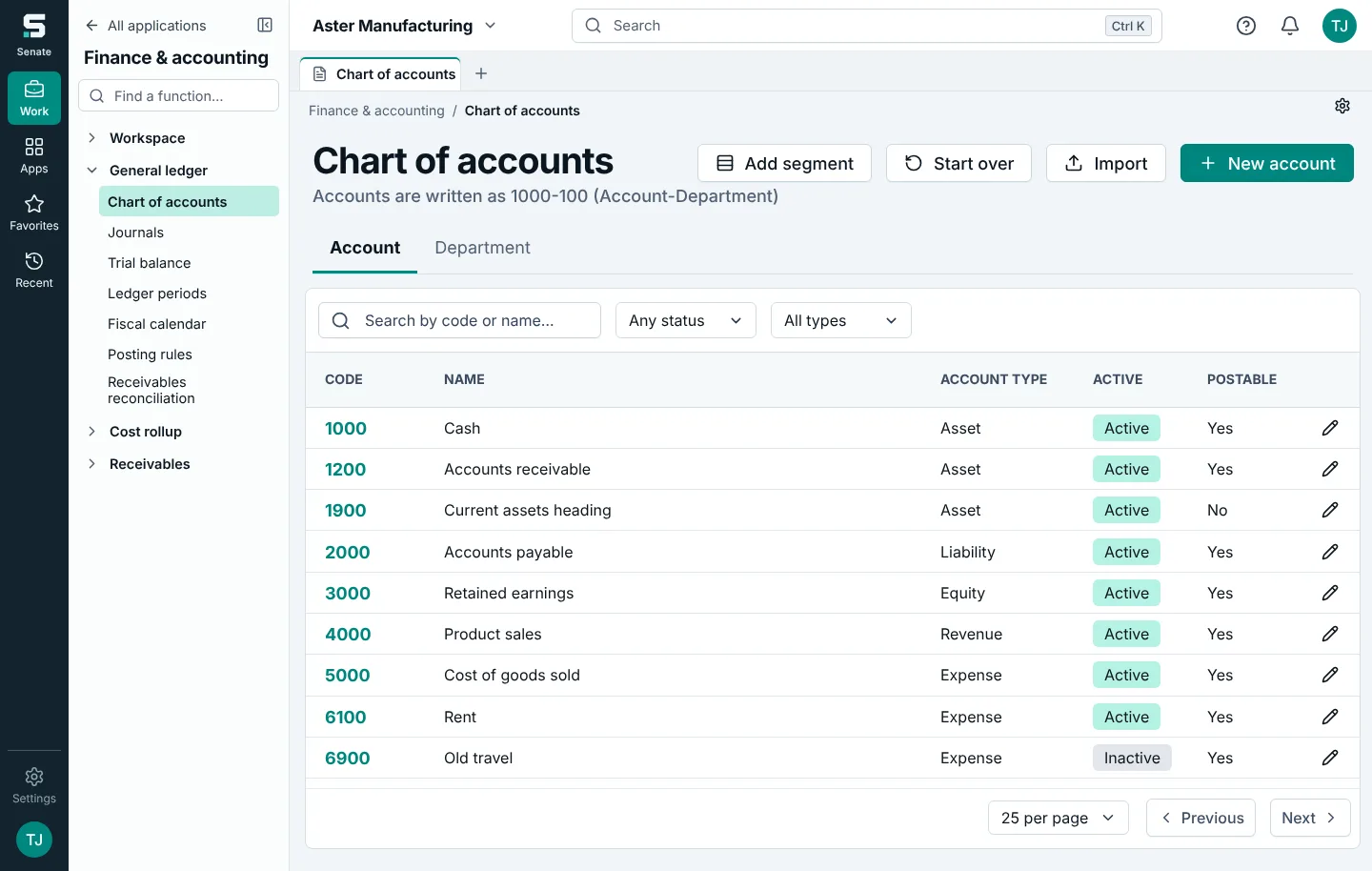
Fig. 1The chart of accounts a company starts with. - 02
Load your customers from a spreadsheet
Upload a CSV or Excel file, match its columns to fields, see which rows would fail and why, then import.
TodayCustomer import in the build. Adding your own items, by file or on a screen, is not built yet.
- 03
Enter the first sales order
Choose the customer, the ship date and the lines. Save it as a draft, then submit it.
TodayIn the build.
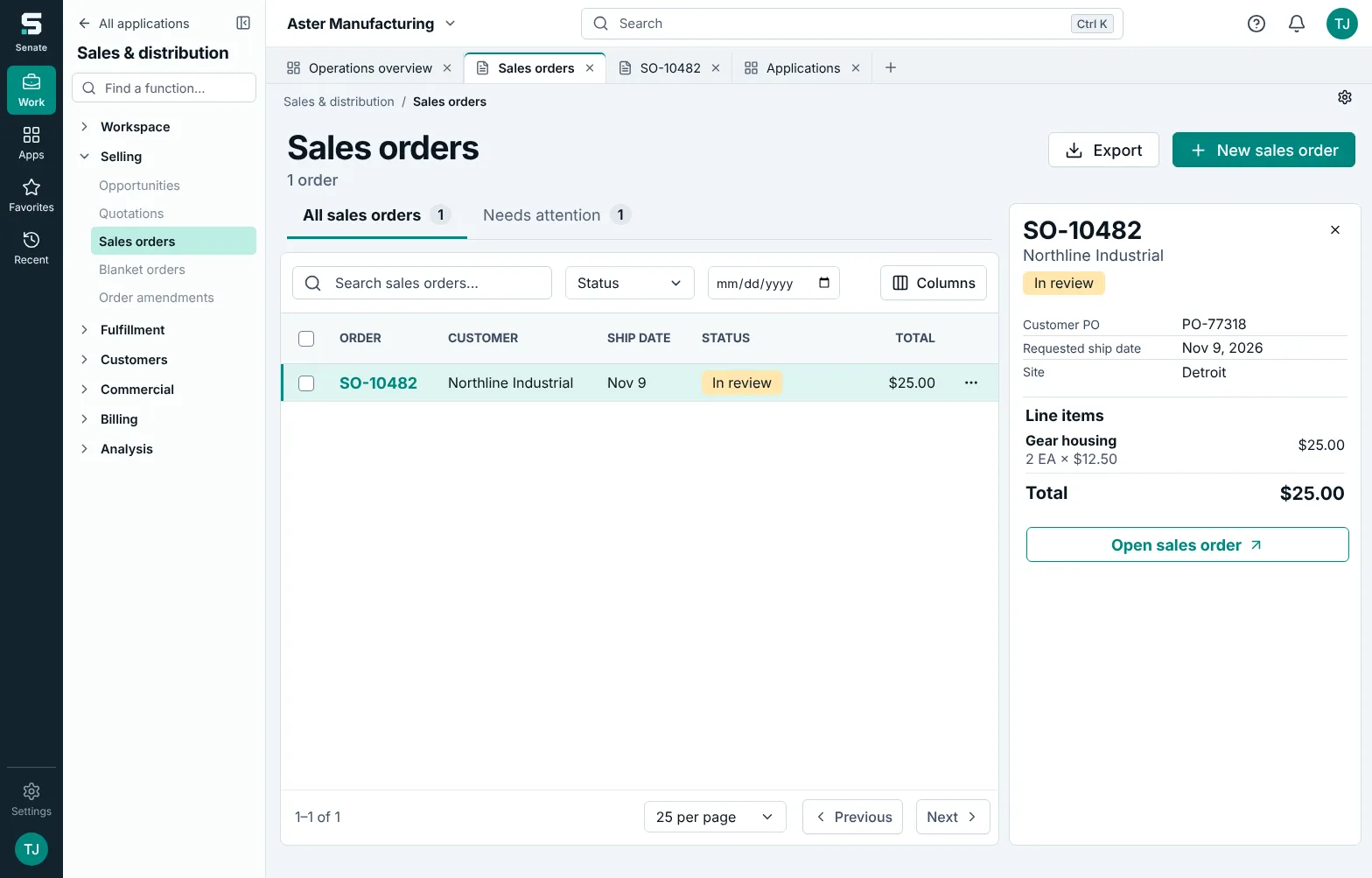
Fig. 2Sales orders, with the selected order beside the list. - 04
Run MRP and release the plan
Run MRP for a site, check the planned orders, then release them into draft purchase orders and planned work orders.
TodayIn the build.
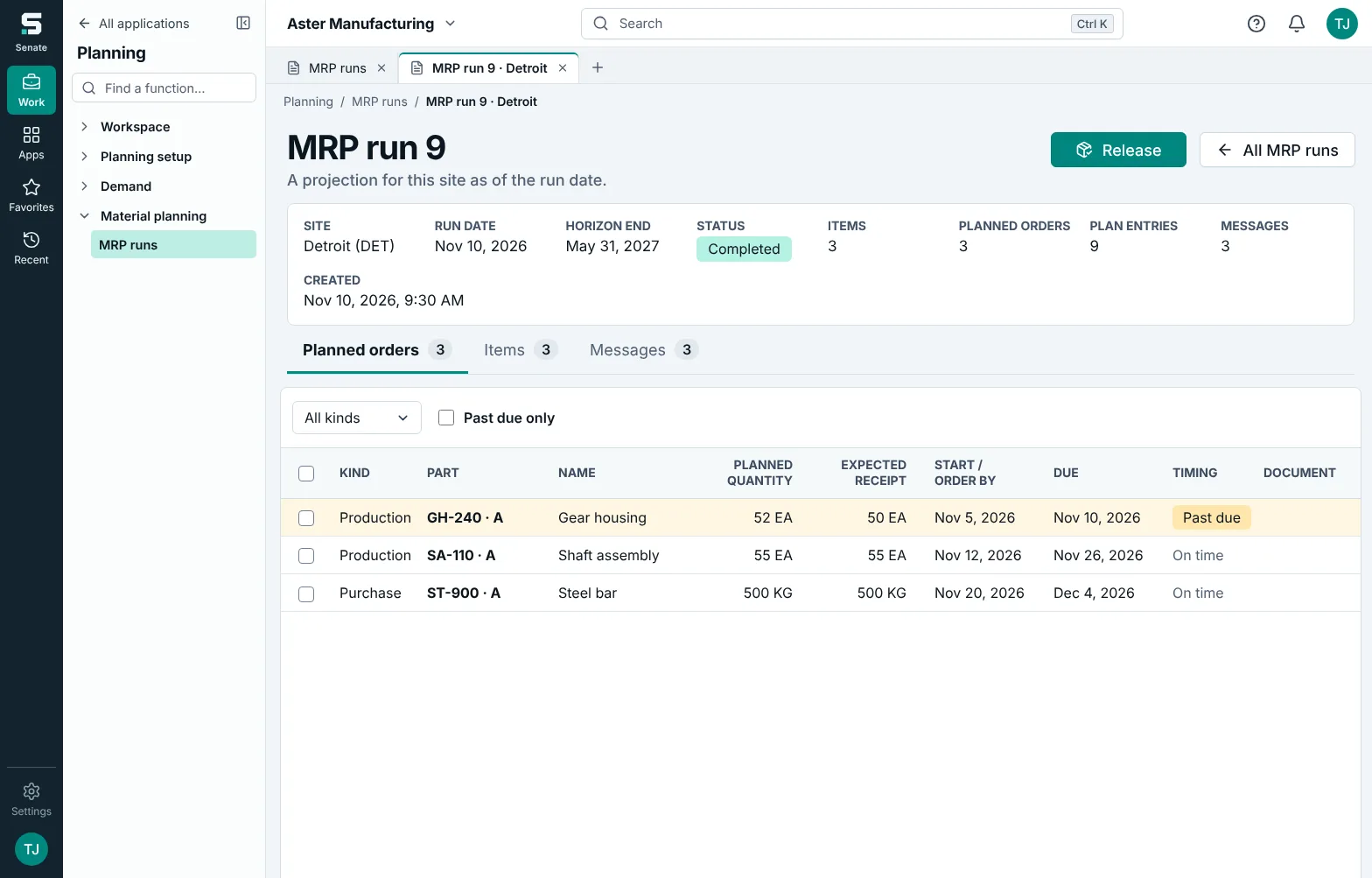
Fig. 3Planned orders from an MRP run, ready to release. - 05
Ship, invoice and see it in the books
Ship the order and invoice the shipment. The invoice posts to the ledger through the starter’s posting rules.
TodayIn the build.
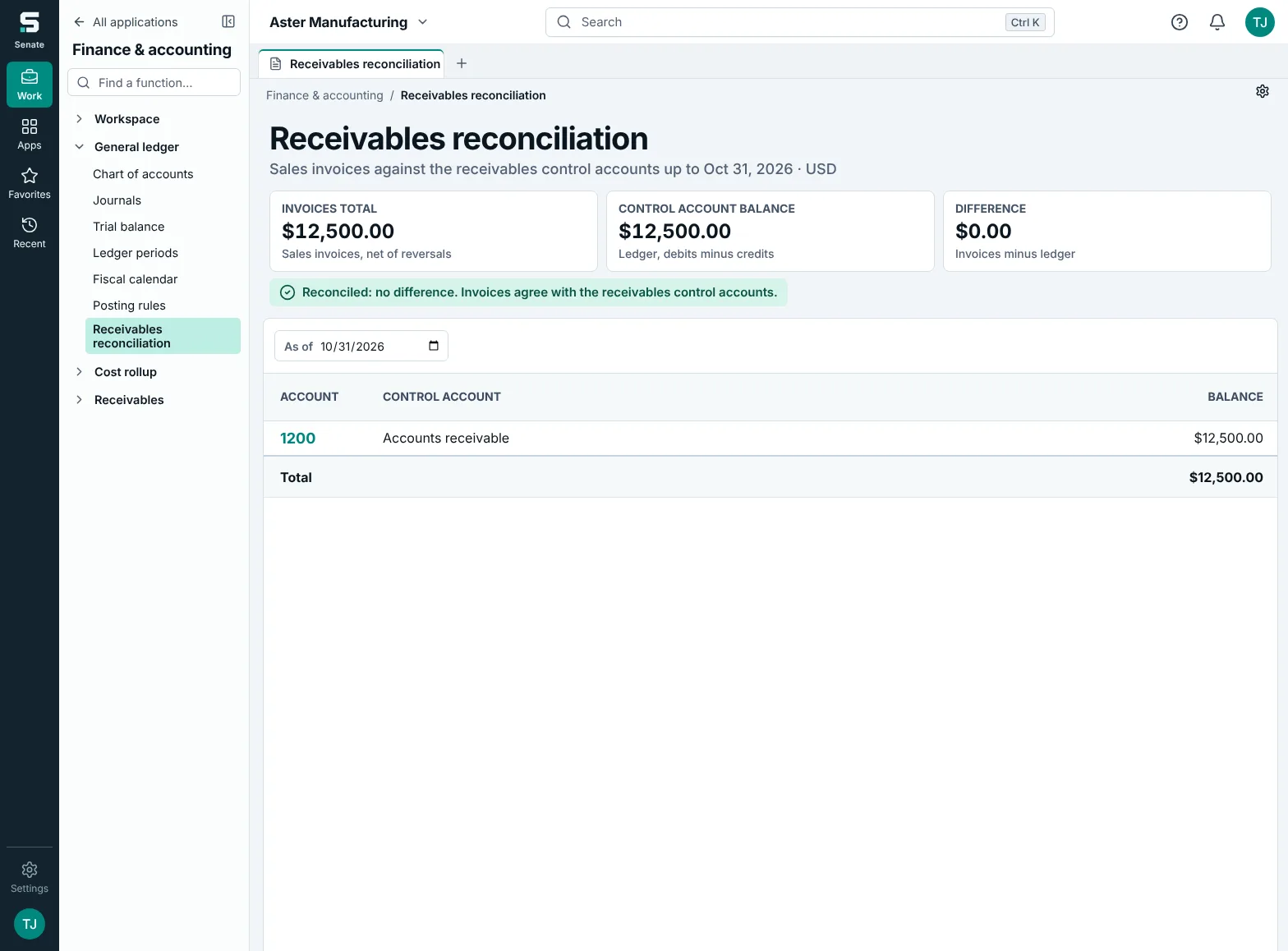
Fig. 4Posted invoices checked against the receivables account.