Every module, built the same way.
Finance, sales, planning, manufacturing and inventory share one data model, one set of controls and one way of exposing work to people, integrations and agents. Here is how it is put together, and how much of it is in the build today.
10ArchitectureEvery function, every module
One command behind every way in.
Each function has one owning business command. The screen, the API, the agent tool, the import and the event are thin adapters over it, so a rule written once is enforced everywhere.
Ways inNo business rules
- ScreenThe browser app
- REST APIOpenAPI contract
- AgentGoverned tool call
- ImportMapped file
- EventTrigger
Owning command
sales.
Authorization, validation, versioning and the commit. Business rules live here and nowhere else.
One transaction
- 1Business change
- 2Audit entry
- 3Business event
All three are written, or none is.
Done means six checks.
A function counts as built only when its command passes all six. The same checks apply whether the request came from a person, a program or an agent.
| No. | Check | What it means |
|---|---|---|
| 01 | Authorized on the server | User, company, site, record and field checks run inside the command. Hiding a button is never the check. |
| 02 | Replays, never duplicates | Each write carries a key that identifies the request. A retry returns the first result instead of creating a second order. |
| 03 | Rejects stale versions | An edit made against an old version of the record is refused, not silently written over someone else’s change. |
| 04 | Commits once | The business change, its audit entry and its event are written in one transaction, or not at all. |
| 05 | Has a typed contract | A closed OpenAPI schema with documented error codes, checked in with the code. A breaking change fails the build. |
| 06 | Publishes the fact | Every committed fact is announced as a CloudEvents business event, documented in the event contract. |
20ControlsEnforced below the screen
Built for the audit.
Separation between companies, authorization and history are enforced by the database and the server, not by the screen.
- 01
Every row knows its owner
Each row carries its tenant and company, and relationships use scoped keys, so another company’s id simply fails.
- 02
Enforced in the database
Row-level security is forced for the application’s runtime role. The application cannot switch it off.
- 03
Identity from credentials
Who you are and which company you act in come from verified sign-in, never from a request body or a tool argument.
- 04
Posted means permanent
Journals, inventory movements, tax lines and audit are append-only. A correction is a linked reversal plus a new entry.
- 05
Hiding is not authorizing
A field missing from a screen is presentation. The server decides what each person and agent can read and change.
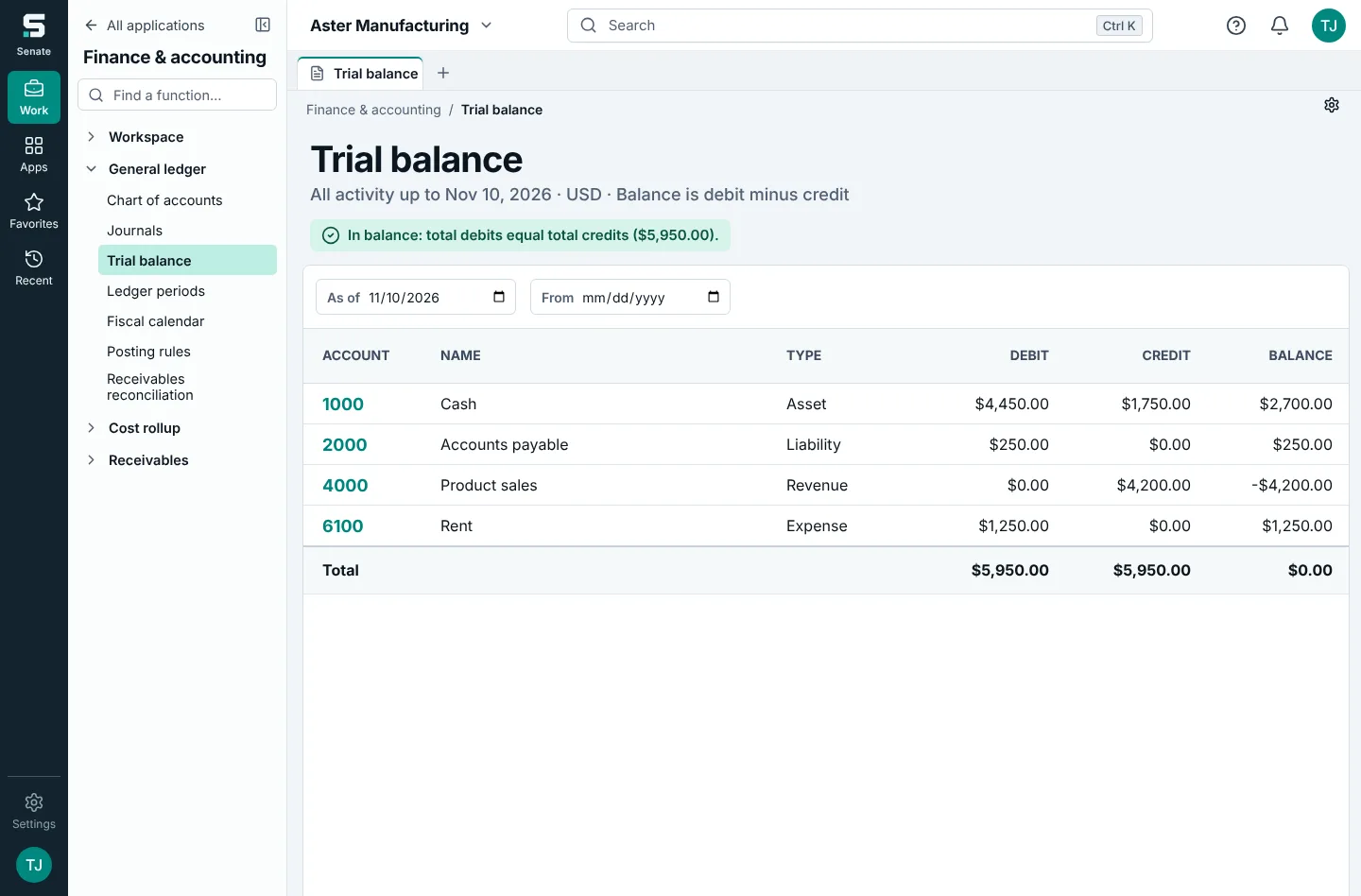
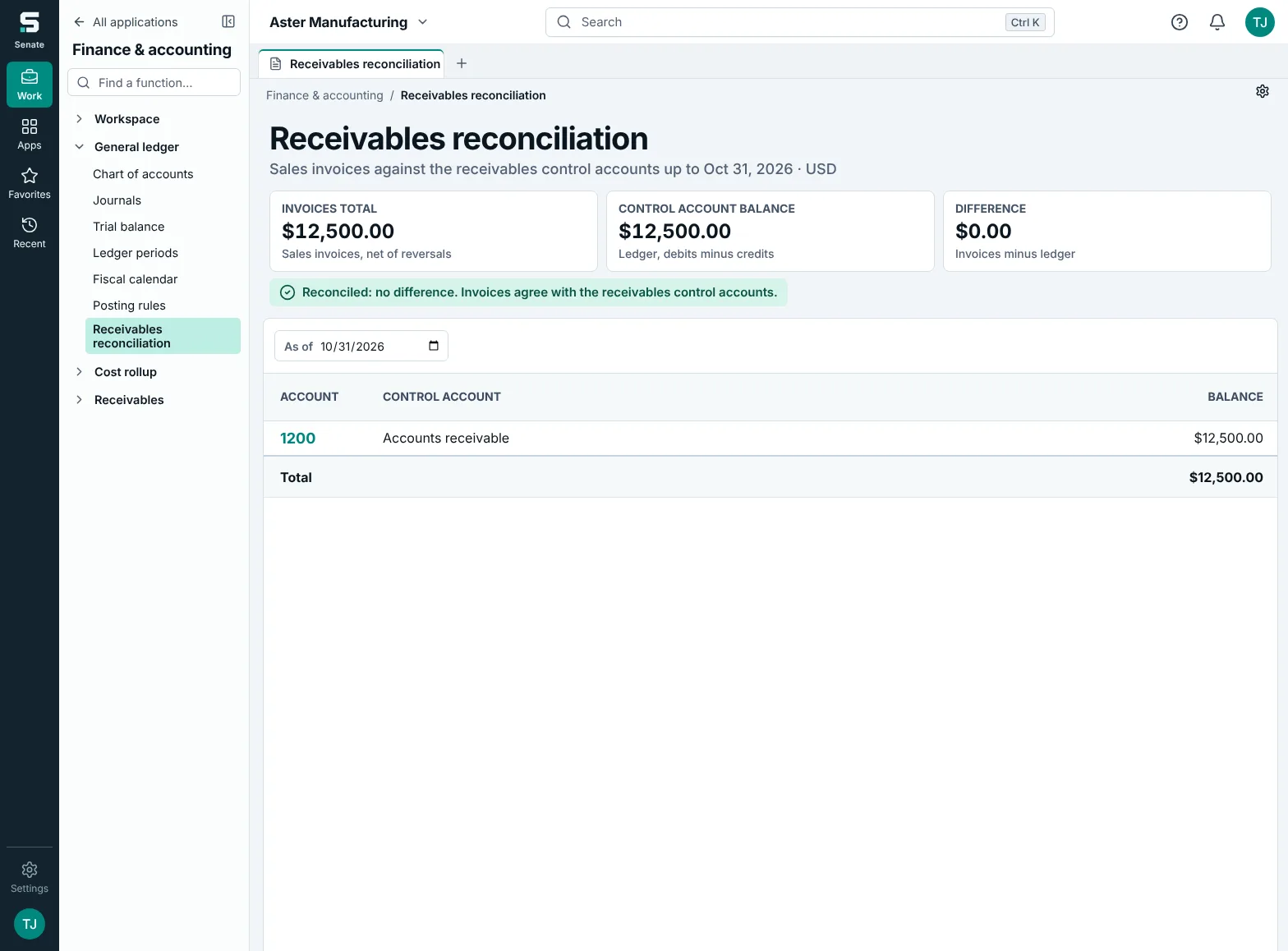
Corrections are new entries.
A posted journal is never edited. It is reversed by a linked entry, and the corrected amount is posted as a new one, so the original stays on the record.
Journal historyAppend-only · USD
| Journal | Date | Entry | Amount |
|---|---|---|---|
| JN-000482 | 2026-10-30 | Customer invoice posted | 48,260.00 |
| JN-000517 | 2026-11-03 | Reversal of JN-000482 | −48,260.00 |
| JN-000518 | 2026-11-03 | Corrected invoice, replaces JN-000482 | 46,980.00 |
30ExtensibilityConfiguration, not code
Extend it without forking it.
Fields, lists, rules and layouts are configuration, not code. Nothing a customer adds lives inside the core, so every customer stays on the one supported version.
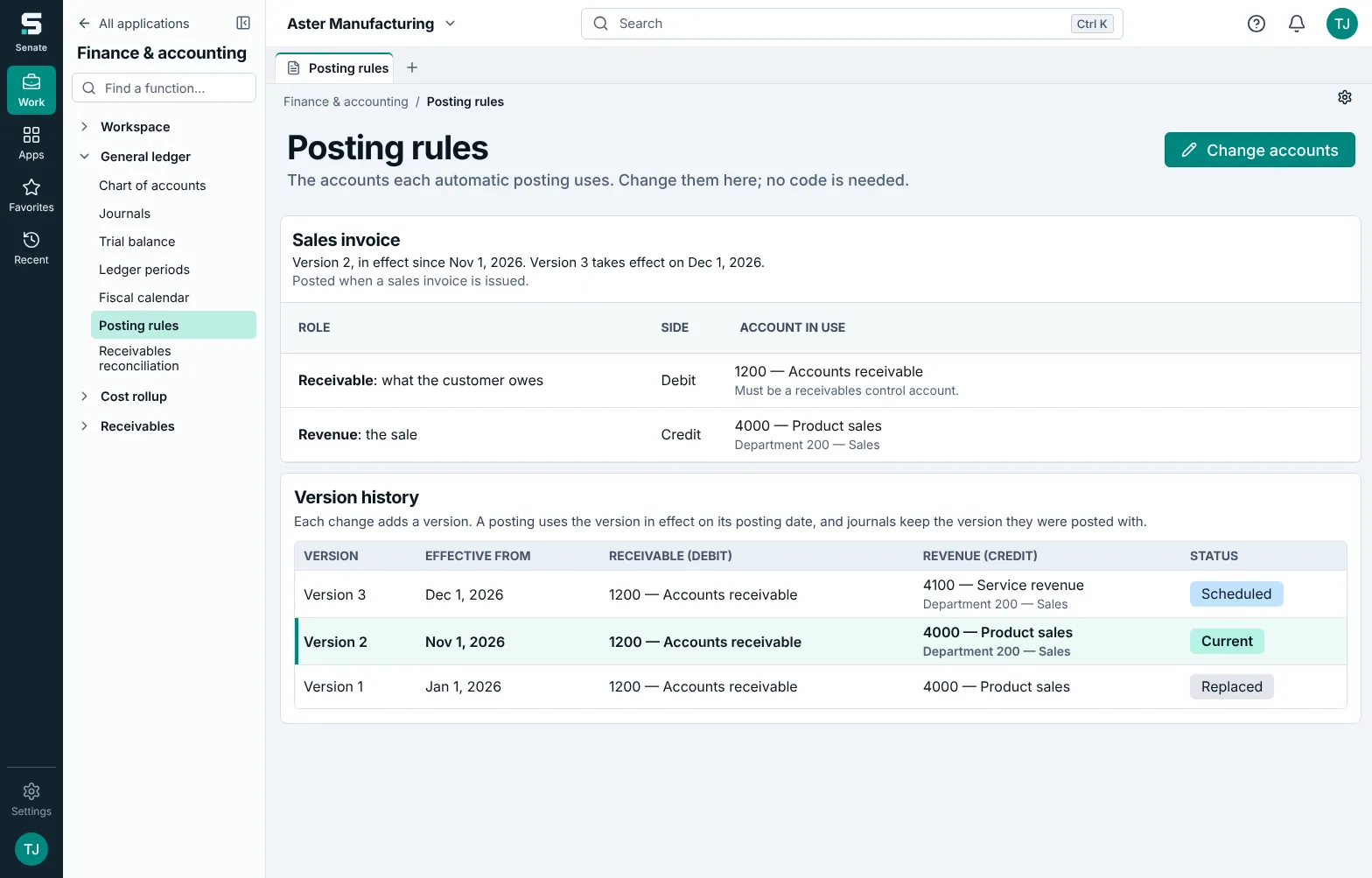
General ledger
Change the accounts, not the code.
The accounts each automatic posting uses are set on a screen. A change adds a version with the date it takes effect, and journals keep the version they were posted with.
- 01
One name everywhere
A field has one snake_case name on every surface. No mapping layer, no aliases.
- 02
Keys that never change
Every record has an immutable key, so names and business codes can change without breaking joins, integrations or reports.
- 03
One version for all
No customer branch to maintain, so there is nothing to re-implement at upgrade.
- 04
Your own fields, with the same rules
Added fields work in forms, lists, imports, the API, agent tools, reports and record history, with the same validation and permissions as the standard ones.
One field, six surfacescustomer_name
| Surface | Name |
|---|---|
| Database column | customer_name |
| API property | "customer_name" |
| Event payload | data.customer_name |
| Agent argument | customer_name |
| Import target | Company Name → customer_name |
| Report column | customer_name |
40IntegrationWays in and out
Integration is part of the module.
Every function is reachable through a documented contract from the day it is built. These are the ways data moves in and out, and where each one stands.
| Channel | What it does | Where it stands |
|---|---|---|
| REST API | Every function, typed by a checked-in OpenAPI contract. | In the build |
| Business events | CloudEvents for each committed fact, published from the transactional outbox. | In the build |
| Bulk import | Mapped import with a mapping screen, preview and saved mappings. | In the build |
| Import for every record | The same engine, record by record. Customers, activities, part planning and work orders today. | In development |
| Spreadsheet (XLSX) import | Upload a workbook directly instead of exporting to CSV first. | In the build |
| Data export | Pick the records and the columns you want, then download the file. | In the build |
| Webhooks | Deliver signed business events to your own endpoints, for every kind of record. Set up through the API. | In the build |
| Configurable triggers | Start a workflow or an agent when a business event occurs. | Planned |
| EDI | Customer schedules, releases and ship notices, exchanged through a connected provider. | In development |
Connected, not built.
What changes by law or by network comes from a specialist provider behind one replaceable interface. We build the business logic; the provider keeps the content current. For tax and EDI, the plan is that you hold your own provider account. All three connectors are planned; none is in the build yet.
| Area | Senate builds | Connects to |
|---|---|---|
| Sales and use tax | Tax interface, product tax categories, exemption certificates and tax lines stored per document line. | Avalara AvaTaxFor United States and Canadian tax content. |
| EDI transport | One internal document format, a profile per trading partner and release accounting with cumulative quantities. | A network providerChosen by a pilot with an automotive customer. |
| Exchange rates | Rate table, rate types, manual entry and import, with the rate stored on every document. | Daily rate feedsOfficial published rates, behind the same interface. |
50Build statusModule by module
What is built. What is not.
Senate is in active development. “In the build” means present in the current development build, not generally available. “In development” means partly built or being built now. “Planned” means designed and scheduled, not started.
| Module | In the build today | Next | State |
|---|---|---|---|
| Finance & accountingA general ledger Senate owns end to end, with account segments you can add after go-live. |
|
| In the build |
| Customer relationshipsDeals, quotes and the day's follow-ups, on the same customer record the orders use. |
|
| In the build |
| Sales & distributionOrders and customer schedules from entry to shipment and invoice, with attachments and full audit. |
|
| In the build |
| ProcurementSuppliers, the parts they sell at their prices, and purchase orders from draft to release. |
|
| In development |
| PlanningForecast demand, run MRP through every level of the bill, and schedule the work on real machine capacity. |
|
| In the build |
| ManufacturingParts, bills of material, steps, machines and work orders, an operator screen, and machine upkeep. |
|
| In the build |
| QualityQuality plans whose controls become the checks operators fill in, with holds, problems and actions. |
|
| In the build |
| Inventory & warehouseStock that is reportable on any date at any cost set, valued at standard cost. |
|
| In development |
| PeopleThe people on each shift, their skills and training, and their time off. | Nothing yet |
| In development |
| IntegrationA documented REST API, events, imports, exports and webhooks on every module. |
|
| In the build |
| AdministrationFields, dropdown lists, statuses, words and approvals, set up once and used by every module. |
|
| In the build |
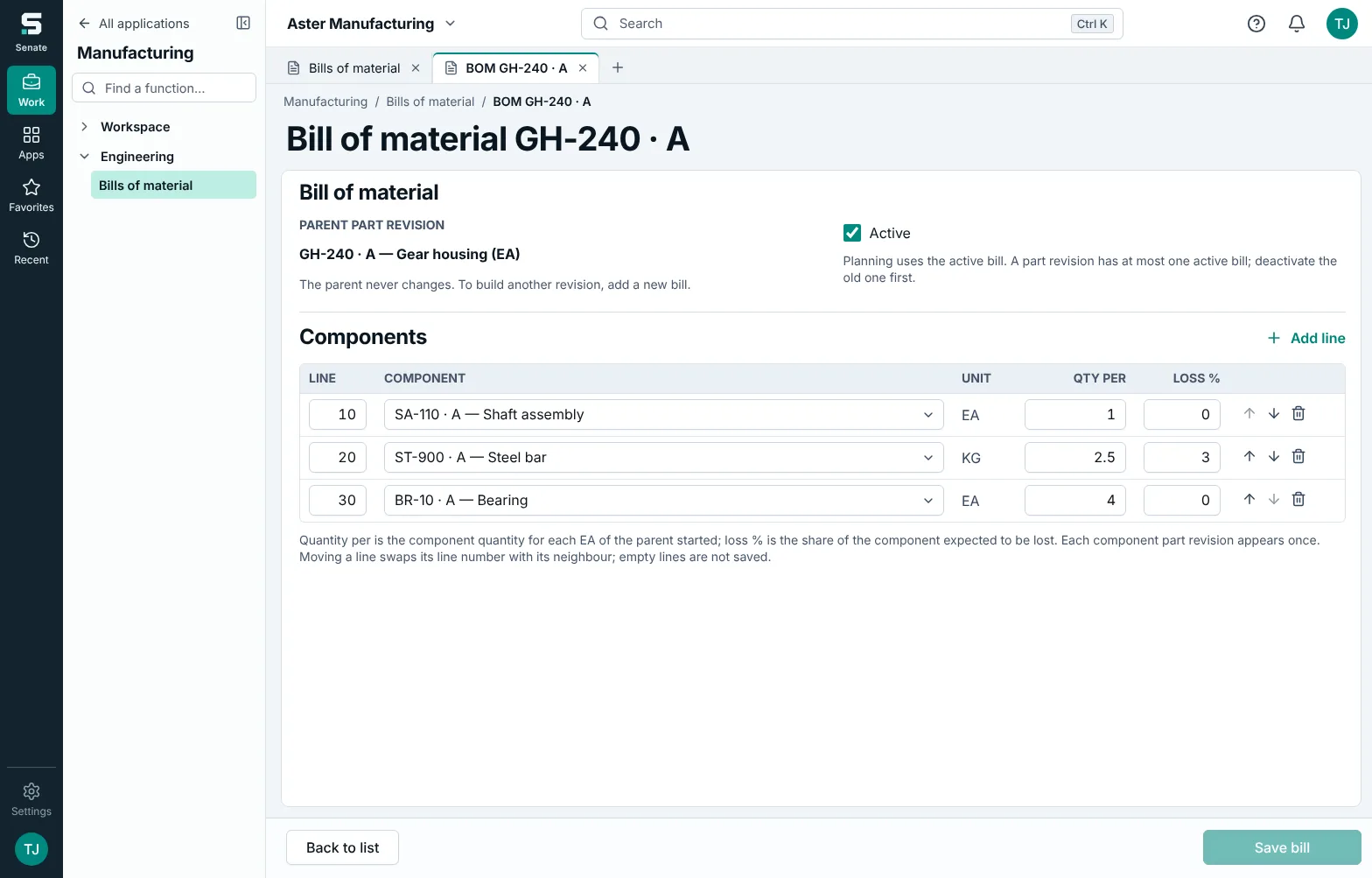
Manufacturing
Bills of material are in the build.
Bills of material, steps, work orders, the operator control center and a finite capacity schedule work today, with production, scrap and time reported from the floor. Label printing and make-to-order options come next.
Where it will run.
Nothing is deployed for customers yet, so this is the plan for launch rather than a description of running infrastructure. There are no uptime, service-level or capacity figures here; we will publish them when there is a running service to measure.
Shared cloud
At launch, Senate runs as multi-tenant SaaS on Azure. Tenants are separated in every row, not by convention.
Your own subscription
Private hosting in the customer’s own Azure subscription, for companies whose policy requires it. Same images, same version.
Launch countries
The United States and Canada first. Further countries arrive as versioned country packs, not custom builds.
One version
Every customer runs the same release, private hosting included. New features arrive switched off, so you choose when to turn them on.
Follow the build.
Join the early-access list to follow each module into the build, and bring a customer export for your first import.